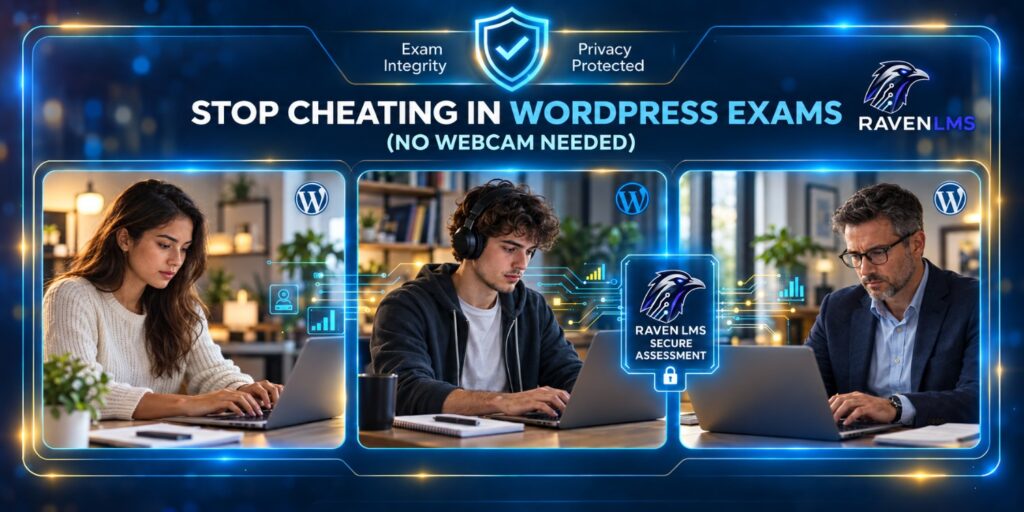
Online exams make training and certification easier to deliver, but they also create a difficult question for WordPress site owners: how do you protect the integrity of an assessment without turning every exam into a surveillance exercise?
Webcam proctoring is one answer, but it is not the only answer.
For many professional training programs, corporate assessments, certification courses, and continuing education programs, recording a learner’s face for the entire exam can be excessive. It introduces privacy concerns, adds technical requirements, creates support problems, and can make an otherwise straightforward assessment uncomfortable for the learner.
A better approach in many situations is to secure what is actually happening inside the assessment session.
That means controlling browser behavior, protecting exam content, detecting suspicious actions, limiting simultaneous sessions, validating attempts, and keeping a reliable record of violations.
Here is how WordPress LMS administrators can build a stronger exam environment without requiring a webcam.
Start With Better Exam Design
Anti-cheating technology works best when the assessment itself is difficult to game.
If every learner receives exactly the same 30 questions in exactly the same order, the exam becomes easier to share. Question banks, randomized questions, shuffled answers, reasonable time limits, and scenario-based questions make simple answer sharing much less effective.
Instead of asking only questions that reward memorization, include questions that require the learner to apply a concept.
For example, asking someone to identify the definition of a security control is easier to look up than presenting a short scenario and asking which control should be implemented first.
Good exam design should be the first layer of assessment security. Technical controls then strengthen that foundation.
Detect When Learners Leave the Exam
One of the simplest methods of cheating during an online exam is also one of the most common: open another browser tab, search for the answer, and return to the exam.
A protected assessment should therefore be able to recognize when the learner leaves the active exam window or switches tabs.
The goal does not have to be an immediate failure.
A practical system can record the incident as a violation, allow a configurable number of violations, and take stronger action only after a defined threshold has been reached.
This approach is more reasonable than treating every accidental click as cheating while still discouraging repeated attempts to leave the assessment.
Restrict Copy, Paste, and Common Browser Shortcuts
Exam questions can easily leave the assessment environment through the clipboard.
A learner may copy a question into a search engine, external application, chatbot, messaging service, or another device-assisted workflow. Someone can also attempt to paste previously prepared material directly into an assessment.
For higher-value exams, consider restricting:
- Copy, cut, and paste actions
- Right-click context menus
- Printing
- Saving the page
- Selected browser shortcuts
- Access patterns commonly associated with developer tools
- Back navigation during an active assessment
These controls will never make a browser completely impenetrable, and they should not be presented that way. Their purpose is to remove easy opportunities and increase the effort required to bypass the assessment process.
That alone can significantly improve exam discipline.
Consider Full-Screen Exam Mode
Full-screen mode can provide another useful layer of protection.
When learners are required to remain in a full-screen assessment, moving outside the protected environment becomes more noticeable and easier to treat as an assessment event.
Full-screen enforcement should not be the only security mechanism, however. Learners can accidentally leave full screen because of notifications, operating-system shortcuts, accessibility tools, or other legitimate actions.
The better model is to combine full-screen controls with violation tracking rather than assuming one event automatically proves misconduct.
Use Clear Violation Rules
An anti-cheat system becomes much more useful when administrators can define what happens after suspicious behavior is detected.
For example, an organization might allow one accidental violation but take action after repeated incidents.
Depending on the assessment and LMS workflow, enforcement could include:
- Recording the event
- Displaying a warning
- Increasing the learner’s violation count
- Automatically submitting the assessment
- Failing the attempt
- Temporarily locking additional exam access
- Flagging the attempt for administrator review
The important part is consistency.
Learners should face the same rules, and administrators should know exactly what the system will do when a threshold is reached.
Prevent Multiple Active Exam Sessions
Browser controls solve only part of the problem.
Imagine a learner beginning an exam on a laptop while simultaneously opening the same assessment using another browser or device. If the LMS treats both sessions as legitimate, the learner may have another route around normal assessment restrictions.
Single-session protection can help prevent this.
A stronger exam system should associate an active assessment with a protected session and validate whether the attempt is still legitimate before accepting activity or submissions.
This is especially important for certification examinations and other assessments where the result has consequences beyond normal course completion.
Validate Important Controls on the Server
There is an important technical distinction between hiding something with JavaScript and actually enforcing a rule.
Browser-side controls are useful because they provide the immediate exam experience. But sensitive assessment information should not depend entirely on the browser.
Where possible, important session information, attempt validation, violation records, and enforcement decisions should also be checked or recorded on the server.
Why?
Because anything running exclusively inside the learner’s browser has a greater chance of being manipulated.
Server-side validation gives WordPress administrators a stronger source of truth when an assessment event needs to be reviewed later.
Keep an Audit Trail
Preventing every questionable action is unrealistic.
Knowing what happened is often just as important.
An assessment-integrity system should record useful information such as the learner, assessment, event, violation type, timestamp, and resulting enforcement action.
That creates an audit trail administrators can review when a result is disputed.
It also helps distinguish between a learner who accidentally left full-screen mode once and someone who repeatedly switched tabs, attempted restricted actions, or generated multiple violations during the same assessment.
For organizations delivering professional credentials or compliance-related training, these records can be particularly valuable.
You Can Do This Without Recording the Learner
This is where browser-based assessment protection becomes attractive.
You do not necessarily need facial recognition, continuous microphone monitoring, or webcam recordings to improve the integrity of an online exam.
Instead, you can focus security controls on the assessment itself.
For WordPress sites that need these controls without replacing their entire learning platform, Raven Anti-Cheat – Assessment Integrity for WordPress LMS provides a standalone approach built around browser monitoring, tab-switch detection, clipboard protection, full-screen controls, violation thresholds, secure assessment sessions, learner security locks, administrative logs, and server-side tracking. Its core anti-cheat functionality does not require webcam or microphone surveillance.
It is designed for supported WordPress LMS environments including LearnDash, LifterLMS, Tutor LMS, and Raven LMS, so an organization can add assessment-integrity controls without necessarily rebuilding its existing course environment.
Do Not Forget the Human Side of Exam Security
Technical restrictions should be supported by clear exam rules.
Before the assessment begins, tell learners what is prohibited.
If changing tabs is monitored, say so. If copying questions is restricted, explain it. If several violations can result in automatic submission or a temporary exam lock, learners should understand the rule before clicking Start.
This reduces disputes and makes the assessment process more transparent.
It also changes learner behavior. Someone who knows that tab changes and restricted browser actions are being recorded is less likely to casually test the limits of the system.
Balance Security With Usability
More restrictions do not automatically mean a better exam.
An overly aggressive assessment environment can create its own problems.
Someone may use keyboard navigation because of an accessibility requirement. A browser notification can interfere with full-screen mode. A network interruption can make an ordinary session appear abnormal.
Administrators should therefore configure controls according to the importance of the assessment.
A short knowledge check at the end of a lesson does not necessarily require the same protections as a professional certification exam.
Think in terms of risk.
The higher the value of the credential or result, the stronger the combination of question security, browser restrictions, session controls, attempt validation, logging, and enforcement should become.
A Layered Approach Works Better
There is no single anti-cheating switch.
Strong WordPress assessment integrity comes from several smaller controls working together:
Good exam design reduces the value of shared answers.
Randomization makes exams less predictable.
Browser monitoring identifies attempts to leave the assessment.
Clipboard and shortcut restrictions make quick external lookup more difficult.
Full-screen controls create a more controlled testing environment.
Violation thresholds provide consistent enforcement.
Session protection reduces simultaneous or duplicated attempts.
Server-side validation strengthens the reliability of important assessment controls.
Security logs provide evidence for administrator review.
Used together, these measures can make WordPress exams substantially more controlled without requiring continuous video surveillance.
Build the Level of Protection Your Training Requires
Not every organization needs a remote-proctoring center.
Many simply need a dependable way to make online assessments harder to manipulate while maintaining a reasonable learner experience.
For WordPress training providers, certification organizations, corporate learning teams, and professional education programs, browser and session-based protection provides a practical middle ground between an unsecured quiz and invasive webcam monitoring.
If assessment integrity is the immediate priority, explore Raven Anti-Cheat for WordPress LMS assessments.
Organizations looking beyond anti-cheating controls can also explore the Raven LMS product ecosystem, which includes Raven LMS and standalone products for course publishing, certificate management, learner messaging, and assessment integrity.