Online learning works best when learners can ask questions, instructors can respond quickly, and training administrators can communicate without forcing everyone into separate email chains or external messaging applications.
That sounds simple, but communication is often one of the weakest parts of a WordPress learning environment.
Raven Messaging was created to solve that problem.
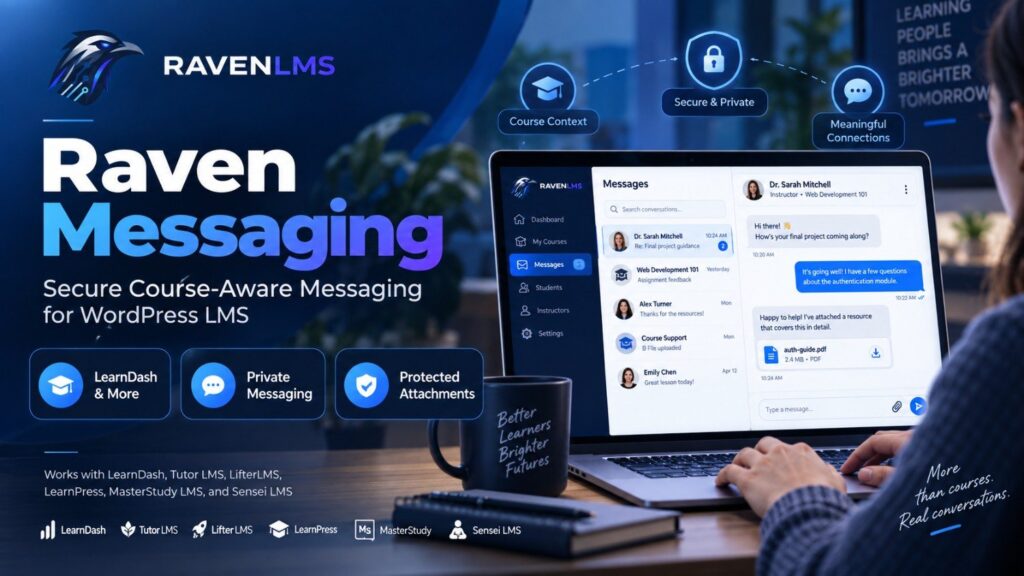
Raven Messaging is a professional WordPress LMS messaging plugin designed specifically for communication between learners, instructors, course managers, group leaders, administrators, and authorized training staff. It works as a standalone WordPress plugin and integrates with leading learning management systems including LearnDash, Tutor LMS, LifterLMS, LearnPress, MasterStudy LMS, and Sensei LMS. A Universal WordPress mode is also available for other learning platforms that rely on WordPress users, roles, and permissions.
Instead of adding another generic chat system to a training website, Raven Messaging connects communication to the learning environment itself.
Explore Raven Messaging for WordPress LMS
Why WordPress LMS Sites Need Better Messaging
Learners regularly have questions that are directly connected to what they are doing inside a course.
They may not understand a lesson. They may encounter an issue during a quiz. They may need clarification about course requirements, assignments, certificates, or completion rules. Instructors may need to follow up with individual learners. Administrators may need to send announcements to an entire course.
Without an integrated communication system, those conversations frequently move outside the LMS.
A learner sends an email. The instructor receives a message without knowing which lesson caused the question. The administrator must manually determine which course the learner belongs to. Important messages can become mixed with ordinary business email.
A course-aware messaging system provides more context.
LearnDash itself recognizes the importance of communication in online learning. Its documentation describes student-to-instructor messaging through instructor-role functionality, and its third-party ecosystem includes premium private-messaging solutions for communication among users, coaches, teachers, and group leaders.
Raven Messaging takes that concept further by providing a dedicated communication layer designed to work across multiple WordPress LMS platforms.
What Is Raven Messaging?
Raven Messaging is a standalone commercial messaging plugin for WordPress learning environments.
It provides a centralized inbox where authorized users can manage private conversations, course-related communication, announcements, attachments, and message history.
The plugin is not designed to become a public social network or a generic live-chat widget. Its focus is professional learning communication.
The system understands LMS relationships wherever supported. That means communication can be restricted according to the learner, instructor, course, group, administrator, or configured support relationship instead of simply allowing every WordPress user to contact every other user.
This makes Raven Messaging particularly suitable for professional training companies, certification providers, universities, corporate academies, internal training portals, continuing education providers, and organizations running customer or partner education through WordPress.
How Raven Messaging Works with LearnDash
LearnDash is one of the most widely used WordPress LMS platforms, but course communication can involve several different relationships.
A course has an author. Learners may belong to LearnDash Groups. Group Leaders may supervise those learners. Some organizations use additional instructor-management plugins, while others rely primarily on administrators and course authors.
There is not one universal LearnDash core field that simply assigns an “instructor” to every course in every configuration.
Raven Messaging accounts for this.
For LearnDash installations, Raven Messaging can identify appropriate course contacts using the course author, relevant Group Leaders, the site administrator, or a specifically configured support user. Administrators can choose the routing strategy that fits their training operation.
This means a training provider can decide whether learner questions should go to the person who authored the course, a LearnDash Group Leader, a centralized training administrator, or another dedicated support account.
Quick Messaging Inside LearnDash Courses
One of the most useful Raven Messaging features for LearnDash is Quick Messaging.
A learner does not always need to leave the learning experience, open a separate inbox, search for a recipient, and explain what they were viewing.
Raven Messaging can provide a Message Course Support option directly within the LearnDash learning experience.
Depending on administrator settings, quick messaging can be made available on course pages, lesson pages, topic pages, and quiz or exam pages.
When a learner opens the messaging interface from one of these locations, Raven Messaging already knows the relevant learning context.
For example, a learner may be viewing:
Course: Cybersecurity Fundamentals
Lesson: Network Security Controls
Quiz: Module 3 Assessment
The learner can contact the appropriate course support person while remaining on that page. The resulting communication carries the course/content context into the Raven Messaging workflow.
That can dramatically reduce messages such as:
“Hi, I have a problem with the quiz.”
Instead, the training team can immediately understand which course or learning activity generated the question.
A Professional Inbox for Learners and Training Teams
Raven Messaging provides a structured messaging interface rather than relying on WordPress comments or ordinary email.
Users can work with Inbox, Unread, Sent, and Archived conversations. Search helps users find previous discussions, while unread tracking makes outstanding communication easier to identify.
The frontend is also white-label.
Learners do not need to see Raven branding. Raven Messaging automatically uses the WordPress site’s own identity, including the site’s title and available site logo. This allows the messaging experience to feel like a native part of the organization’s training portal.
Raven branding remains appropriately visible to administrators managing the commercial plugin from WordPress.
Course-Aware Communication Instead of Open WordPress Messaging
A generic WordPress private-message plugin often starts with a simple question:
“Which registered users may message each other?”
An LMS requires a more useful question:
“Why are these two users allowed to communicate?”
That distinction matters.
Raven Messaging can base communication on LMS and course relationships. A learner may be permitted to contact the relevant instructor or support contact for a course. An instructor or course manager may communicate with learners under their responsibility. Administrators retain broader management capabilities.
This approach can reduce unwanted messaging and makes the system more appropriate for structured professional training.
Announcements for Course Communication
Not every LMS message should be an individual conversation.
Training administrators and authorized course managers may need to inform a larger group of learners about a schedule change, assessment update, new resource, course deadline, maintenance window, or training requirement.
Raven Messaging includes announcement capabilities that allow authorized users to communicate with permitted course audiences.
Announcements can be configured as controlled broadcast communication rather than forcing administrators to maintain external mailing lists for routine learning-related updates.
Protected Attachments
Training communication often involves documents.
An instructor may need to send a PDF. A learner may need to provide supporting documentation. A training administrator may share a spreadsheet, presentation, image, or other permitted resource.
Raven Messaging supports protected attachments with administrator-controlled file types and size limits.
Instead of treating attachments as ordinary publicly accessible uploads, the plugin uses participant-authorized delivery controls. This is particularly useful for professional learning environments where course communication may contain internal or learner-specific material.
Messaging Security, Moderation, and Privacy
Communication plugins should not simply store messages and ignore governance.
Raven Messaging includes administrative controls intended for real training operations.
Key capabilities include:
- Private learner-to-instructor and instructor-to-learner messaging
- Course-aware recipient permissions
- LearnDash course, lesson, topic, and quiz quick messaging
- Course and group announcements
- Inbox, Sent, Unread, and Archived views
- Message and conversation search
- Read receipts
- Protected file attachments
- Email notifications
- User blocking
- Message reporting
- Administrator moderation
- Operational logs
- Security audit logging
- Privacy export and erasure support
- Configurable data retention
- Universal WordPress role-based communication
- White-label learner-facing interface
- Secure commercial licensing and private updates
The current product also provides dedicated administrative Logs and Security Audit views. Administrators can review operational events without exposing private message bodies or license credentials, and log records can be managed with pagination and bulk deletion controls.
Why Not Just Use Email?
Email remains valuable, and Raven Messaging can notify users by email when new communication is available.
But email and LMS messaging solve different problems.
Email knows who sent a message and who received it.
An LMS messaging system can additionally understand why the communication exists: which course, which learning relationship, and potentially which learning activity generated it.
Keeping conversations inside the learning platform also gives learners one predictable location to check their training-related communication.
This can be especially valuable for organizations managing hundreds or thousands of learner accounts where personal inboxes, external email addresses, and course-specific conversations become difficult to coordinate.
How Raven Messaging Works with Other WordPress LMS Platforms
Raven Messaging is not limited to LearnDash.
The standalone plugin currently supports integrations for Tutor LMS, LifterLMS, LearnPress, MasterStudy LMS, and Sensei LMS, in addition to LearnDash.
The exact LMS data model varies from platform to platform, but Raven Messaging uses an adapter-based architecture to connect messaging permissions to available learner, course, instructor, and management relationships.
This is important because every LMS handles communication differently.
For example, LifterLMS offers its own Private Areas product focused on private learner content and coaching conversations, demonstrating that private student communication is a meaningful requirement in professional learning environments.
Raven Messaging approaches the problem as an independent cross-LMS messaging layer.
For learning platforms that do not yet have a dedicated Raven integration, Universal WordPress Mode can use existing WordPress roles and permissions to create controlled learner-to-staff communication.
That makes the plugin useful beyond a single LMS ecosystem.
Useful for Centralized Course Support
Raven Messaging can also support a model that many larger training organizations need: centralized course support.
Not every learner question should necessarily go directly to the course creator.
An organization may want:
Course questions routed to instructors.
Assessment problems routed to an assessment administrator.
General learner questions routed to training support.
Some programs may want all learners to contact one centralized LMS support account.
Raven Messaging’s configurable LearnDash recipient strategy provides the foundation for these workflows, allowing administrators to choose course authors, Group Leaders, site administrators, or a custom support user depending on how the organization operates.
Operational Visibility for Administrators
A commercial messaging environment also needs operational visibility.
Raven Messaging gives administrators dedicated Logs and Security Audit areas for reviewing relevant messaging events.
An administrator can see whether messages were sent, whether email notifications succeeded or failed, whether attachments were uploaded, whether users reported messages, and other operational events.
Logs are paginated for larger sites and can be searched, filtered, selected individually, deleted in bulk, or cleared according to administrative requirements.
This can be particularly useful when investigating a learner report such as:
“I sent my instructor a message but they never received it.”
Instead of guessing, an administrator has a clearer operational trail.
Designed to Stay Inside Your WordPress Environment
For many training organizations, WordPress is not simply a marketing website. It is the platform where users authenticate, access courses, complete assessments, receive certificates, and manage their learning records.
Adding messaging within that same environment helps keep training communication connected to the platform where learning is actually taking place.
Organizations retain control of their WordPress implementation, user management, LMS configuration, and communication workflow rather than moving every learner conversation into an unrelated external messaging platform.
Who Should Consider Raven Messaging?
Raven Messaging is particularly relevant for organizations that run serious WordPress-based learning operations.
That includes professional training companies, certification organizations, corporate learning teams, compliance training programs, universities and education providers, customer academies, partner enablement portals, coaching programs, and agencies building LMS sites for clients.
It can also be useful when an organization is satisfied with its existing LearnDash, Tutor LMS, LifterLMS, LearnPress, MasterStudy, or Sensei implementation but wants a more structured communication layer without migrating to an entirely different LMS.
Raven Messaging Pricing
Raven Messaging is sold directly by RavenLMS.com as a standalone commercial WordPress plugin.
The current license is $299 one-time for a lifetime license covering up to five websites, with no annual renewal required. The product includes private updates through RavenLMS.com.
For agencies, training providers, or organizations operating several LMS installations, the five-site allowance can also make the license practical across multiple learning portals.
Better LMS Communication Without Replacing Your LMS
A messaging system should not require an organization to rebuild its entire learning platform.
That is the main idea behind Raven Messaging.
Keep LearnDash.
Keep Tutor LMS.
Keep LifterLMS.
Keep the WordPress learning environment that already works for your organization.
Then add a communication layer designed specifically around learners, courses, instructors, group leaders, administrators, and training support.
For LearnDash users in particular, Raven Messaging adds a valuable connection between the course experience and private communication. A learner can ask for help while working through course content, while instructors and administrators gain a centralized place to manage those conversations.
For other supported LMS platforms, the same Raven Messaging foundation provides structured private communication while adapting to the relationships available in each learning system.
If your WordPress LMS has grown beyond simple course publishing and now requires more professional learner support, course communication, message governance, and administrative visibility, Raven Messaging provides a focused way to add those capabilities without replacing your existing LMS.
Raven Messaging for WordPress LMS — $299 Lifetime / 5 Sites
View Raven Messaging and Order from RavenLMS.com